The beta is live. Invites only.
Read the document you want.
Keep every word you meet.
Open any PDF in the language you are learning. Select a word, a phrase or a sentence to see it in your own language, keep it in a list, and review it until it sticks.
Invited already? Open the link in your email. It works for your address only.
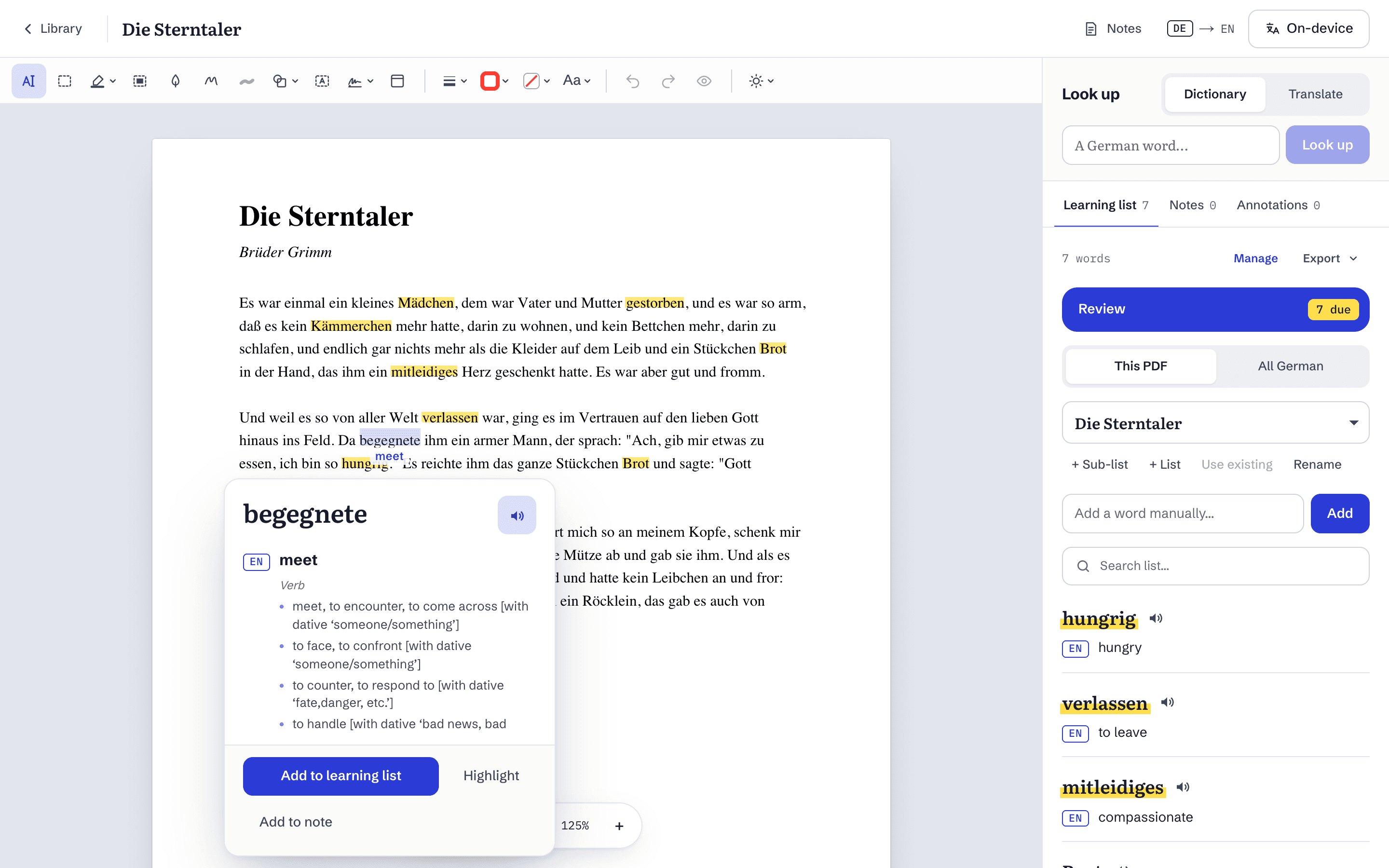
Look it up without leaving the page
Select something and its meaning appears right there. Keep it with one click: the word, the sentence you met it in and the page it was on all go into your list.
- Single words come from the dictionary, with their part of speech and meanings.
- Phrases and whole sentences are translated too.
- Type any word into the look-up box beside the page.
- Words you keep are highlighted wherever they appear.
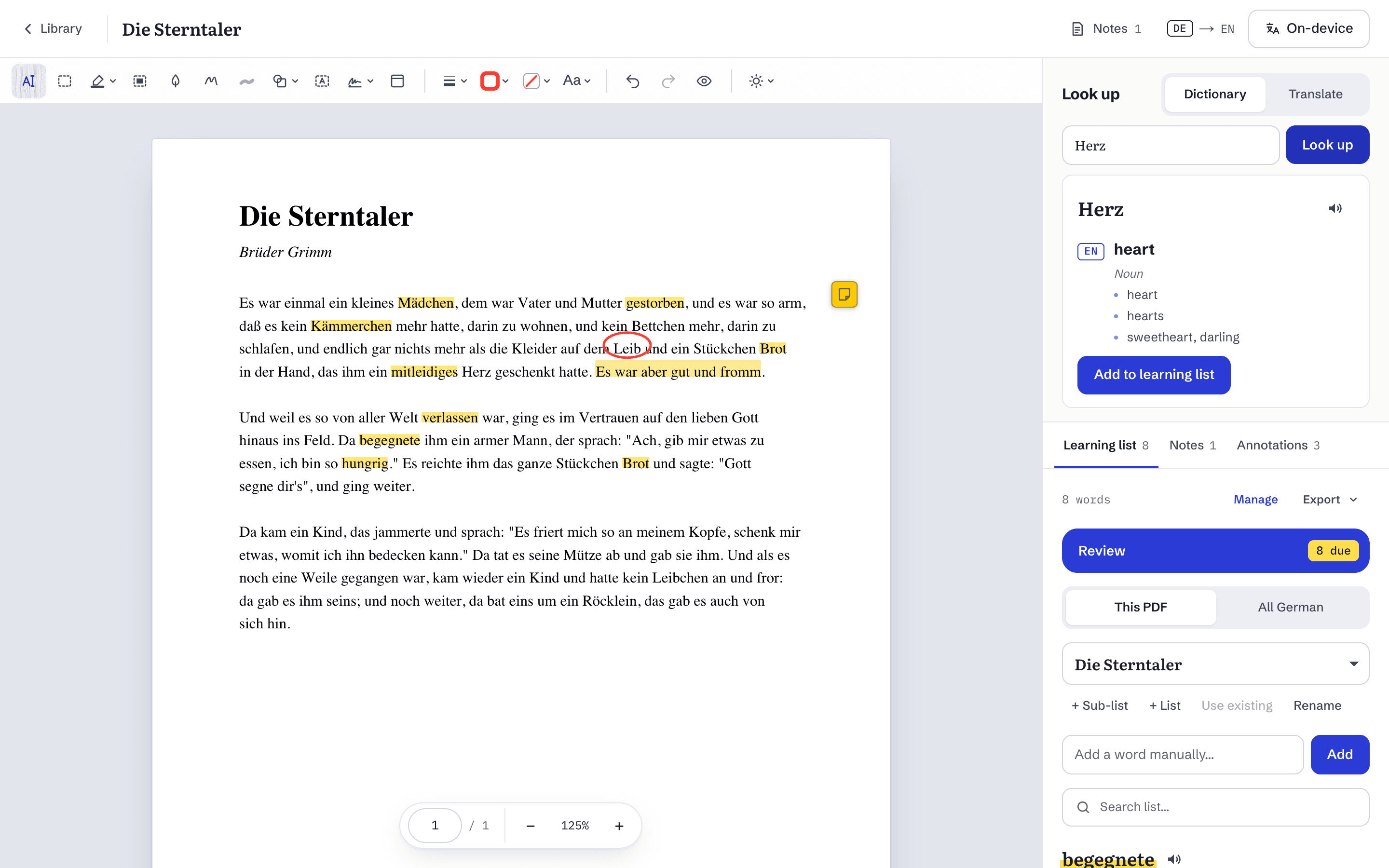
Mark up the page
A Markup toolbar above the page. Marks stay in place when you zoom and come along to every device you read on.
- Highlight, underline or strike through text.
- Draw, add shapes, arrows, text boxes and sticky notes.
- Every mark is listed beside the page, with a comment of its own.
- Undo and redo, move and resize, hide marks one by one or all at once.
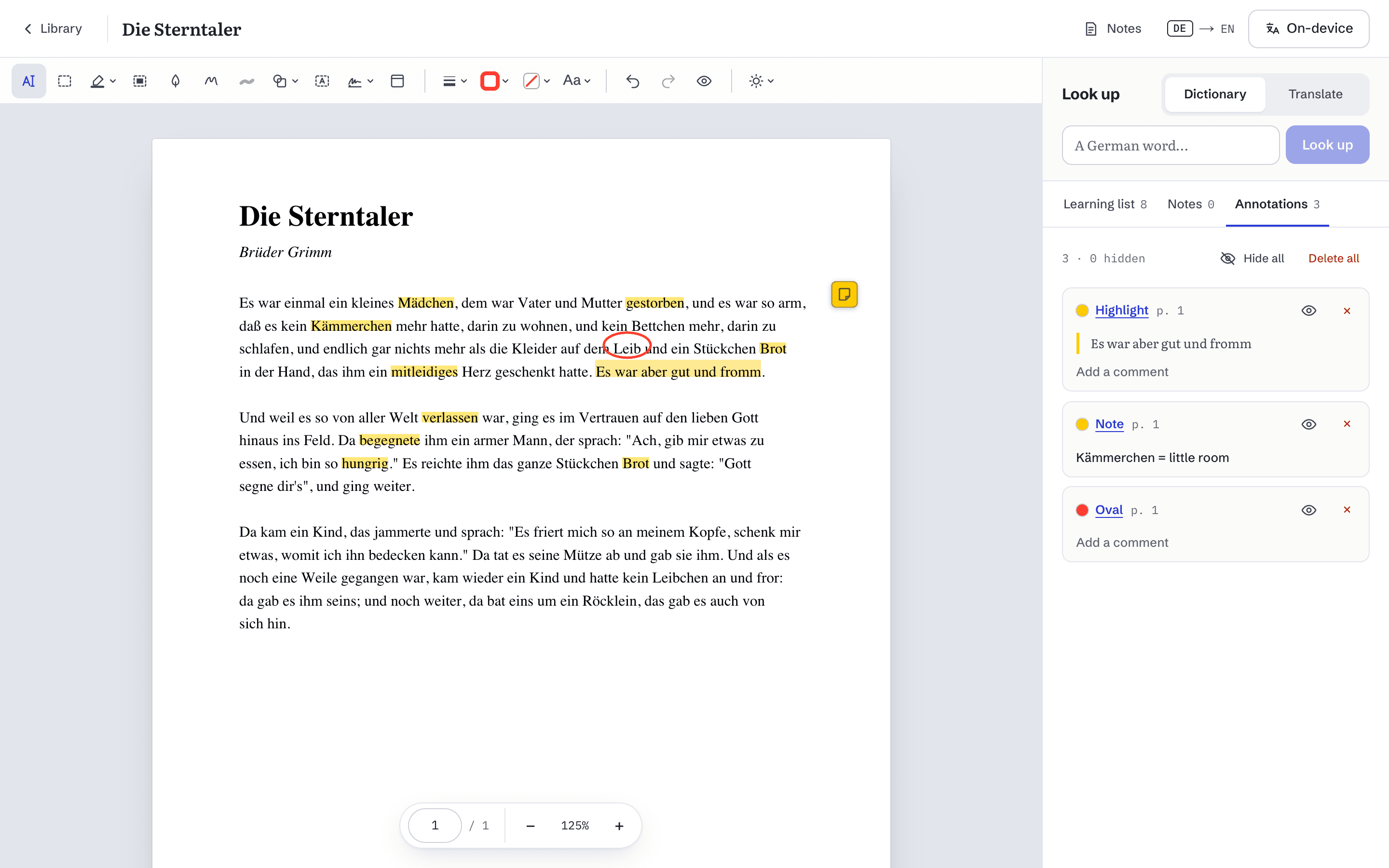
Notes beside the page
Write what you notice while you read. Notes open beside the book and save as you type.
- Rich text: headings, lists, checklists, tables, highlights and links.
- File a note against a page or the whole book.
- Quote a passage into your note, with a link back to its page.
- Pin, search, and recover deleted notes for 30 days.
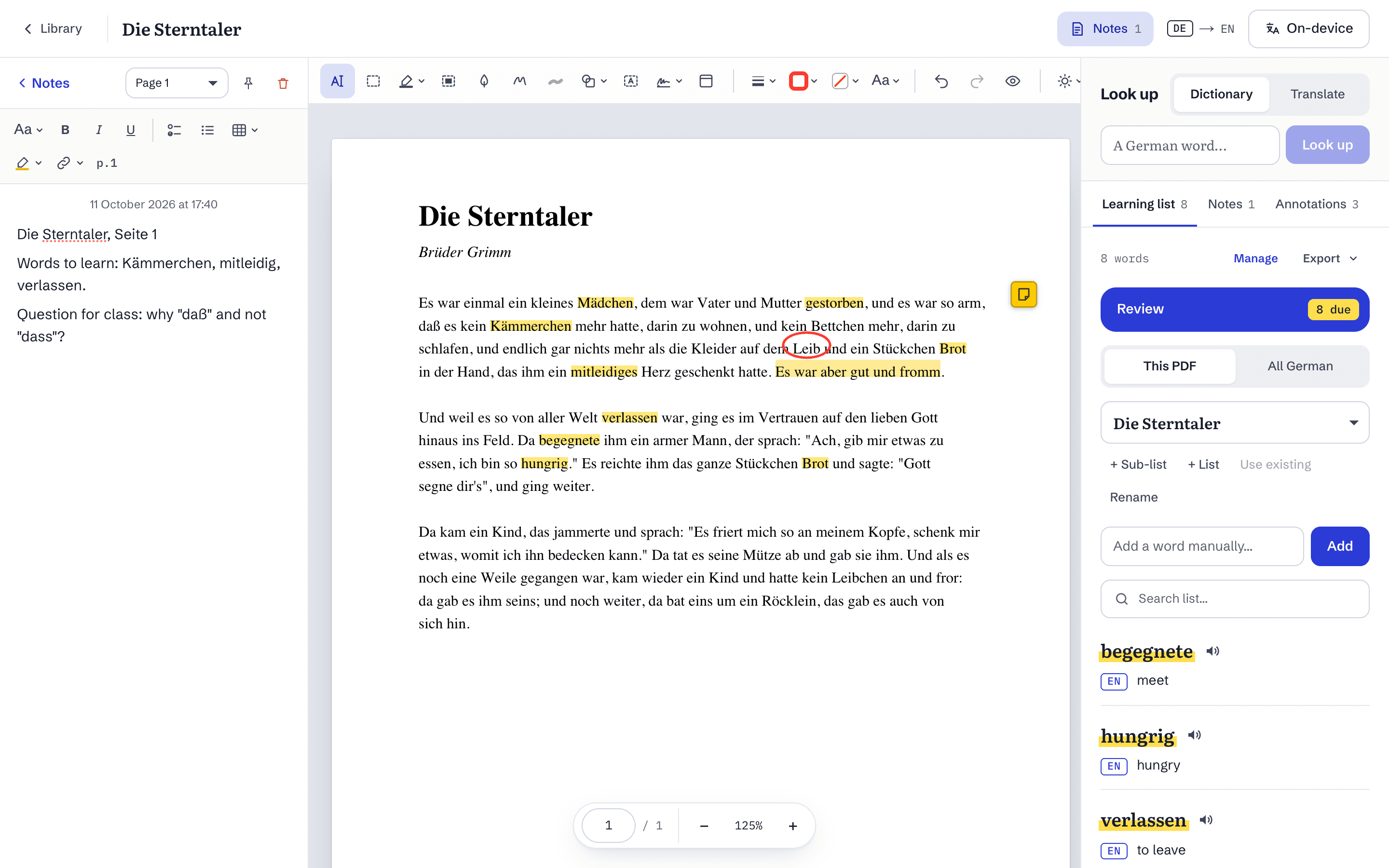
Review what you kept
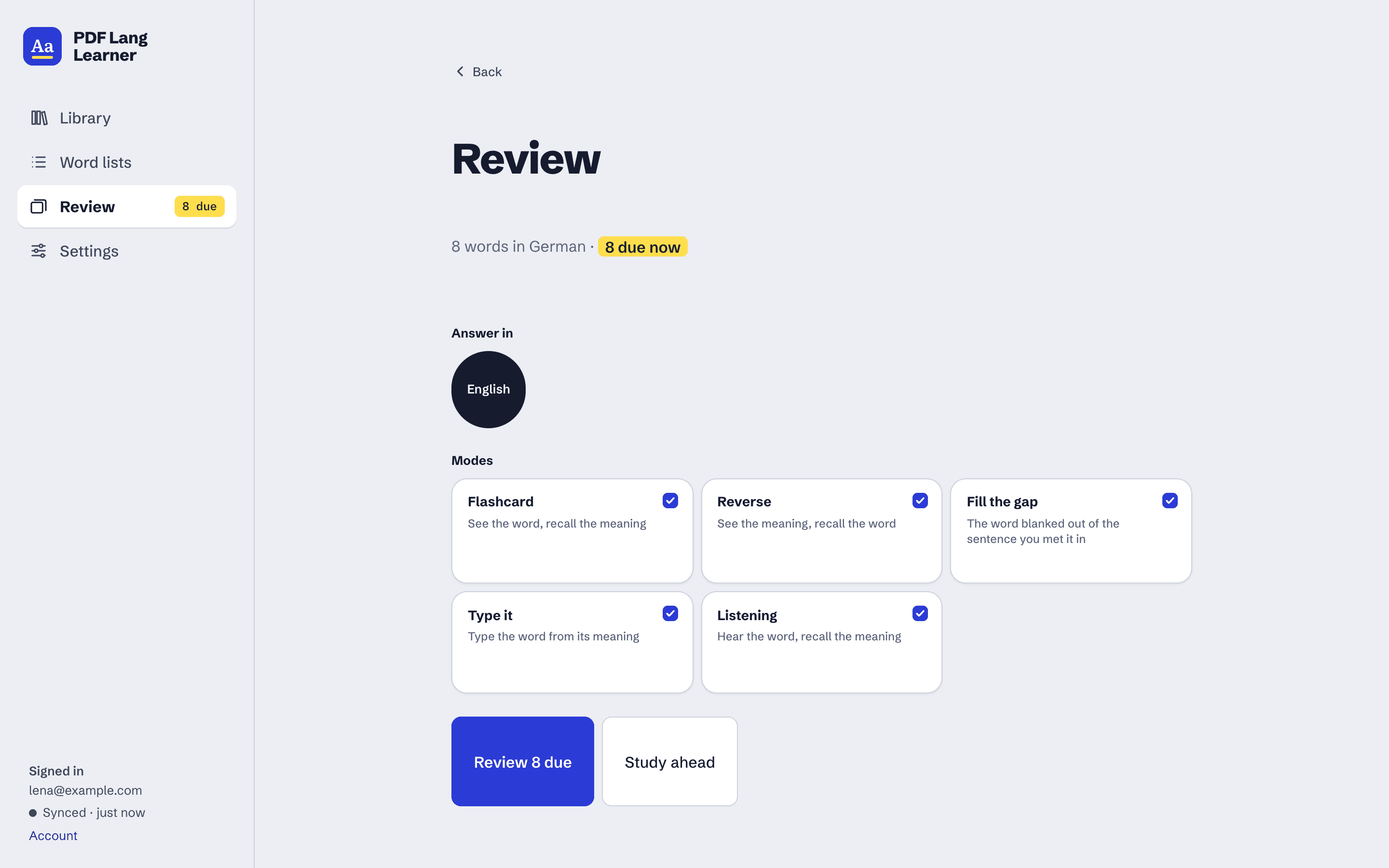
Choose the modes you like and review the words that are due, in the language you answer in.
- Five ways to practise: flashcard, reverse, fill the gap, type it, and listening.
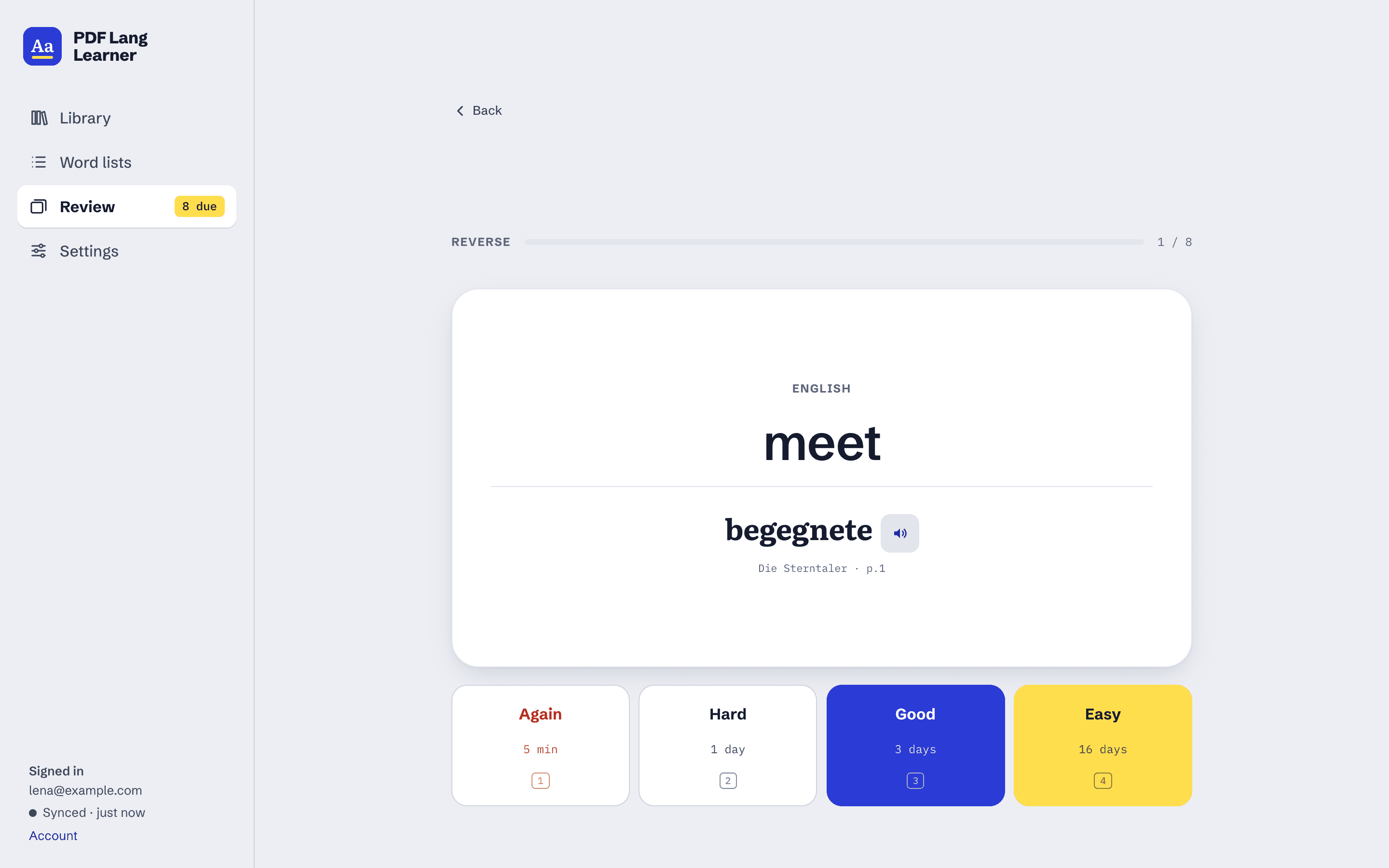
- Spaced repetition decides when each word comes back.
- Each grade button shows exactly when the card returns.
- Every card shows the book and page you met the word on.
All your words, organised
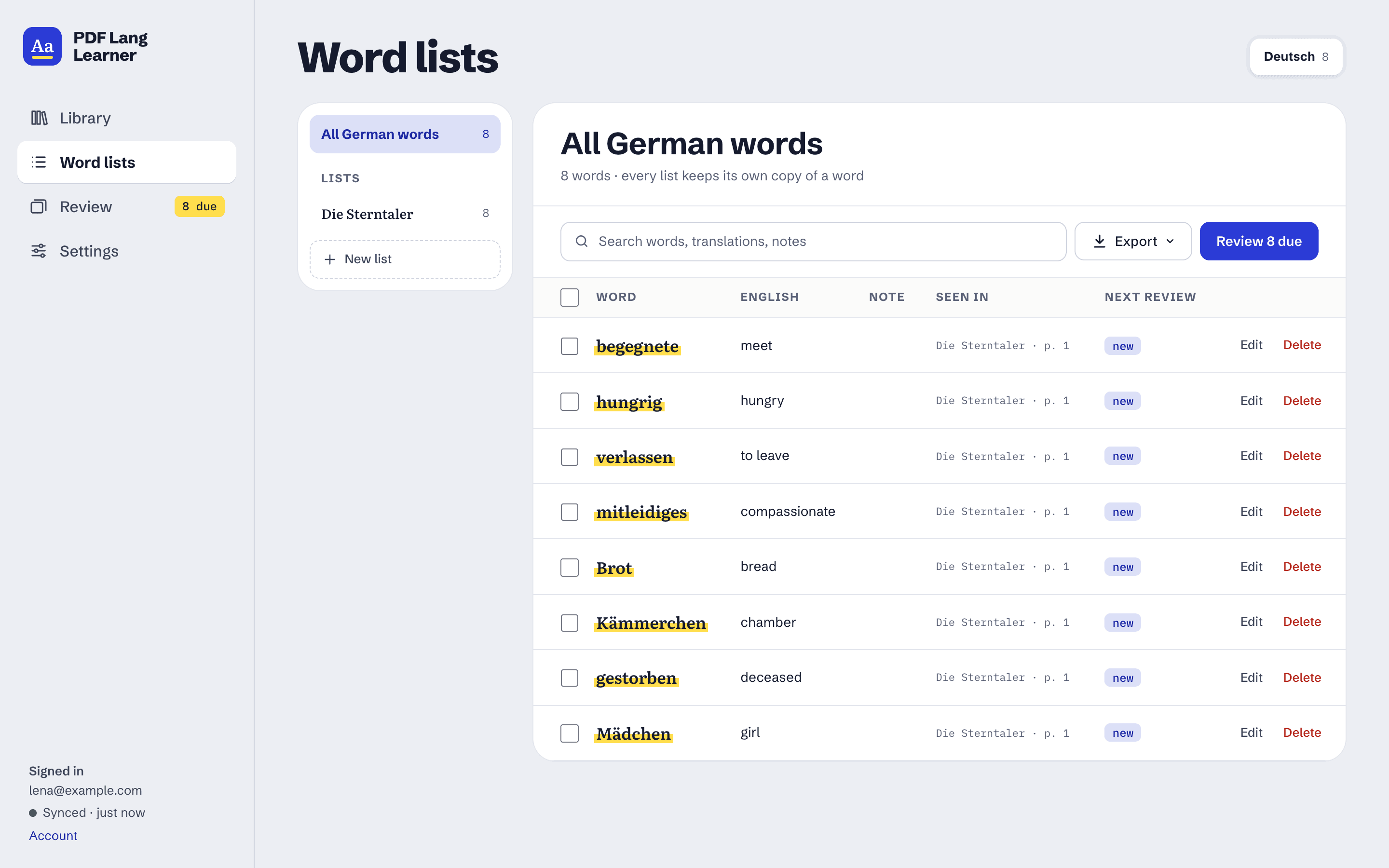
Every word remembers the book and page it came from, so a list is also a way back into the text.
- Each book opens with its own list; split it into chapters with sub-lists.
- Search, edit translations and notes, copy or move words between lists.
- See when each word is due for review.
- Export to Anki, Quizlet or Excel.
Easy on the eyes
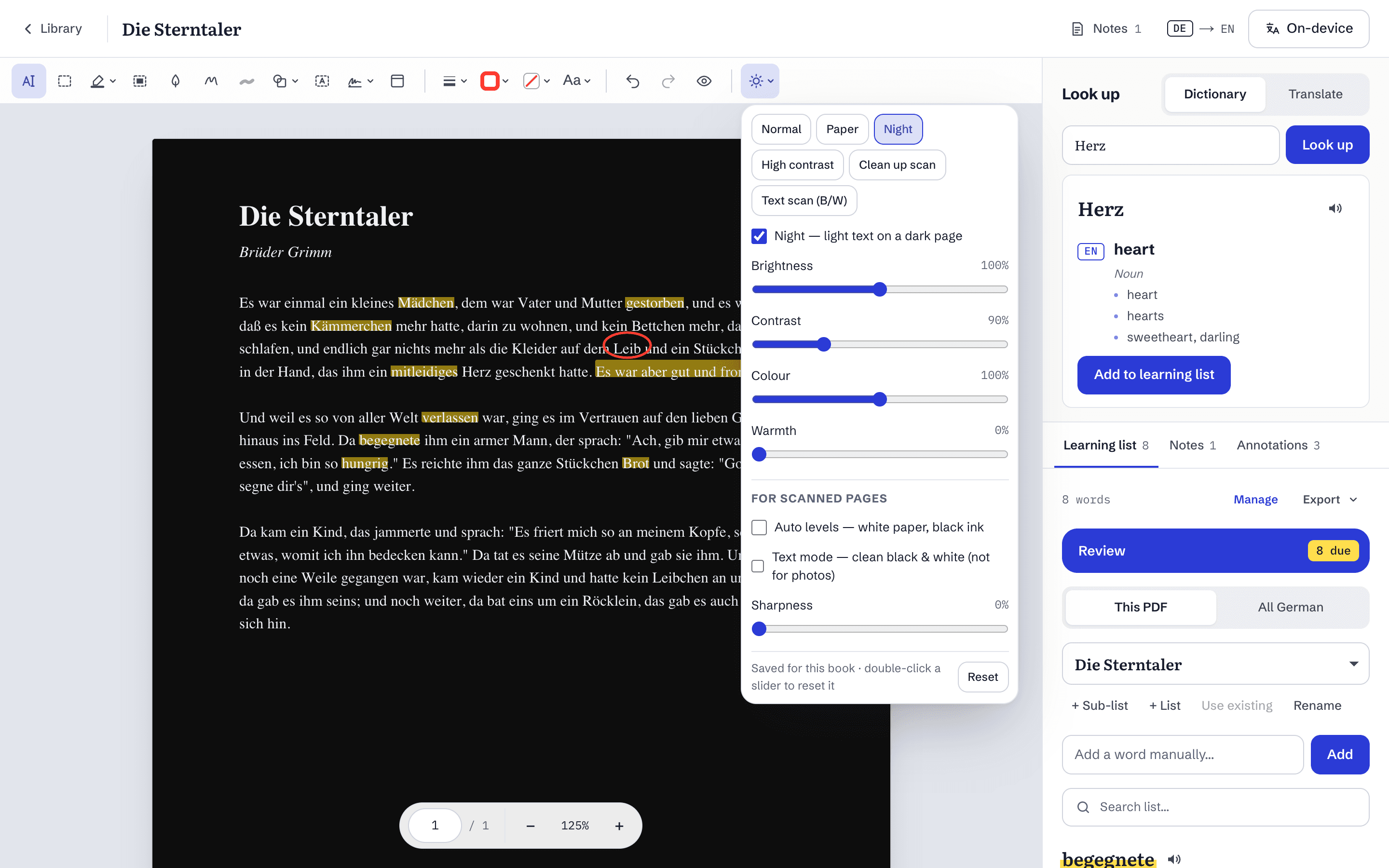
The page view changes how the page looks, never the PDF itself.
- Night mode: light text on a dark page.
- Brightness, contrast, colour and warmth.
- Clean-up for scans: even out the paper, sharpen, or make it crisp black and white.
- Saved per book.
And also
- Scanned PDFs
- Pages that are only images are read with OCR on your device, so their words can be selected too.
- Works offline
- Read, collect and review with no connection. Changes wait and go out when you are back.
- Every device
- Your books, words, notes and reviews sync between the browsers you sign in on.
- Listening
- Hear a word or sentence read aloud, where your device has a voice for the language.
- Export
- Send a list to Anki, Quizlet or Excel, ready to import.
- Your data
- Download everything as a file whenever you like, or delete your account and all of it.
Join the beta
We are letting people in a few at a time. Leave your email and we will send you a personal invite link when there is a place.